How to Change Customer Password
Steps:
- Log in to your account https://admin.localforyoucarts.com/login
- Go to the Customers tab.
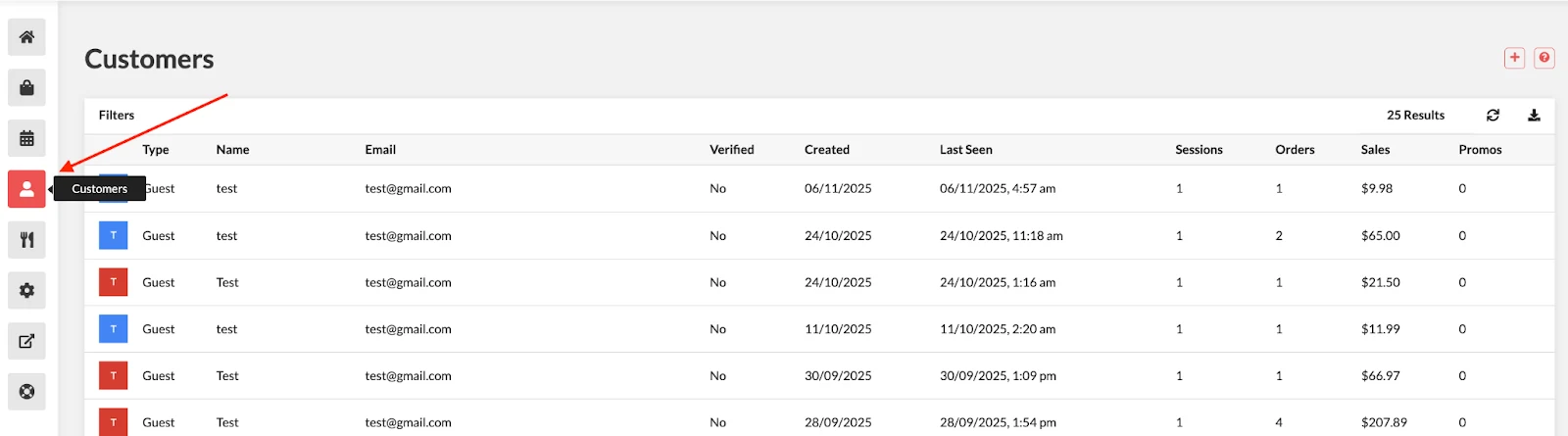
- Select the customer whose password you want to change.
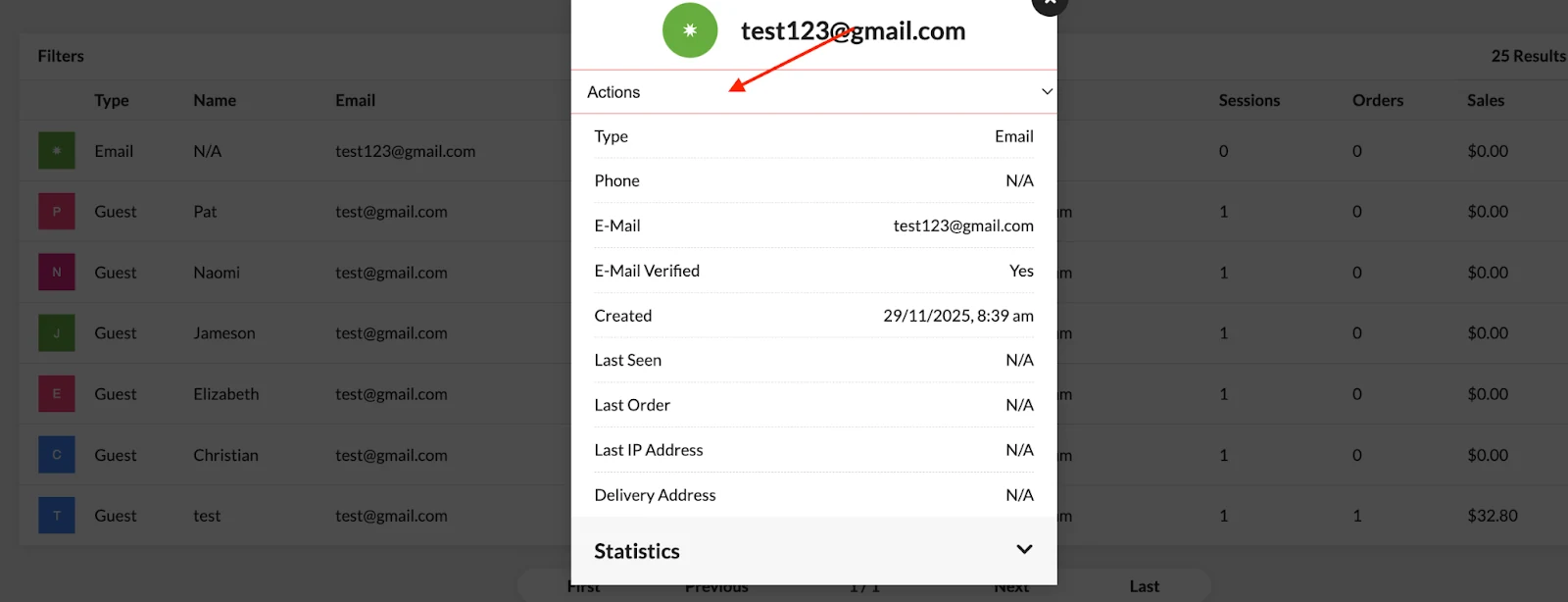
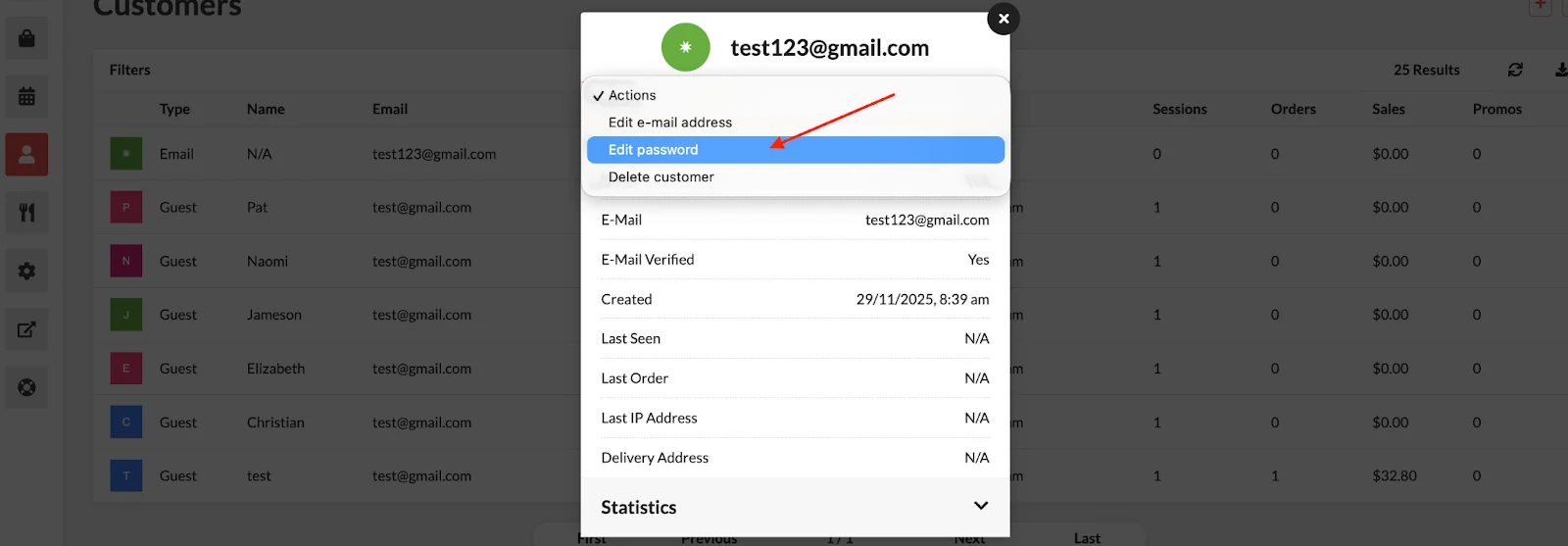
- Click Edit Password.
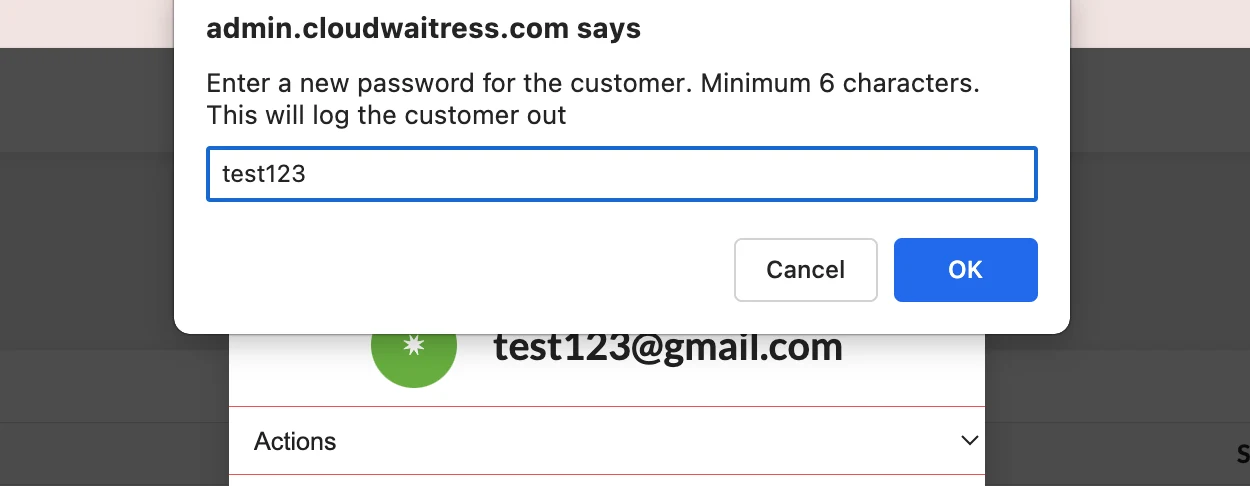
- Enter the new password and click OK.
 Documentation